
One place to work across your devices.
Crux connects AI sessions and local models across computers, phone and watch, while each device retains its own tools and sign-ins.
- Project
- Crux
- Contribution
- VexWorks product engineering.
- Current stage
- Live product
The problem and the work.
AI tools, files and models often live on different machines. Crux brings those sessions into one place so a prompt can reach the device where the work can run.
VexWorks builds Crux as its own product. The engineering scope includes the hub, connected-device agents, local-model orchestration and interfaces for desktop, web, iPhone and Apple Watch.
- Hub and connected devicesPair computers, follow sessions and send work to a selected machine from one interface.
- Local AI and contextUse local models, retain context across conversations and route work to the appropriate model or coding tool.
- Interfaces across devicesWeb, Windows and macOS desktop interfaces, plus native iPhone and Apple Watch apps.
Inside the system.
Connect from the device to the hub
A small agent on each computer dials out to the hub. One-time pairing codes and device keys establish signed connections, without requiring open inbound ports on each computer. Node.js and WebSockets support the connected system.
Run AI where its tools already live
Claude Code and Codex run with the sign-in on the selected device. Local models are available through Ollama, vLLM or DGX hardware. AI credentials remain on the device rather than being held by the hub.
Retain context and route the next task
The local brain remembers across conversations and uses read-only file, git, mail and web tools. It routes questions by model size and hands harder work to Claude Code or Codex with the context it found.
Make the same sessions reachable across screens
Desktop, web and mobile interfaces expose devices and sessions. The system also supports terminals, port forwarding, file transfer and remote screen control, so work can be followed from another device.
Crux technical notes
Each computer keeps its own tools and sign-ins. Prompts run on that device, while the hub coordinates the session. Desktop features include terminals, file transfer and port forwarding; remote screen control lets a connected machine be operated from another device.
A working iPhone client.
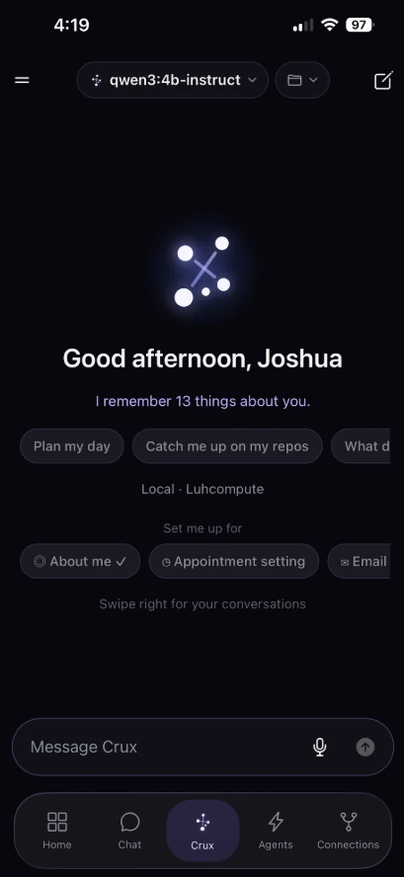
The Crux iPhone app is implemented with React Native and Expo. It connects to the same hub as the web and desktop interfaces, with device lists, chat, run history, files and agent controls designed for a phone.
- Connect the app to the productA typed API client and live socket carry the hub’s device, model and session state into the mobile interface.
- Handle real mobile conditionsSecure session storage, reconnect behavior, foreground recovery and notification preferences are part of the client.
- Make the workflow usable on a phoneModel and workspace selection, readable streamed replies, voice input and run notifications keep the app useful away from a computer.
iOS implementation checks
38 mobile logic checks passed on 15 October 2026, covering model routing, schedules, conversation folders, reply formatting and safe link handling. Earlier repository records document simulator checks against the hub. No new physical-device build or App Store distribution check was performed in this review.
Where the work stands.
Live product
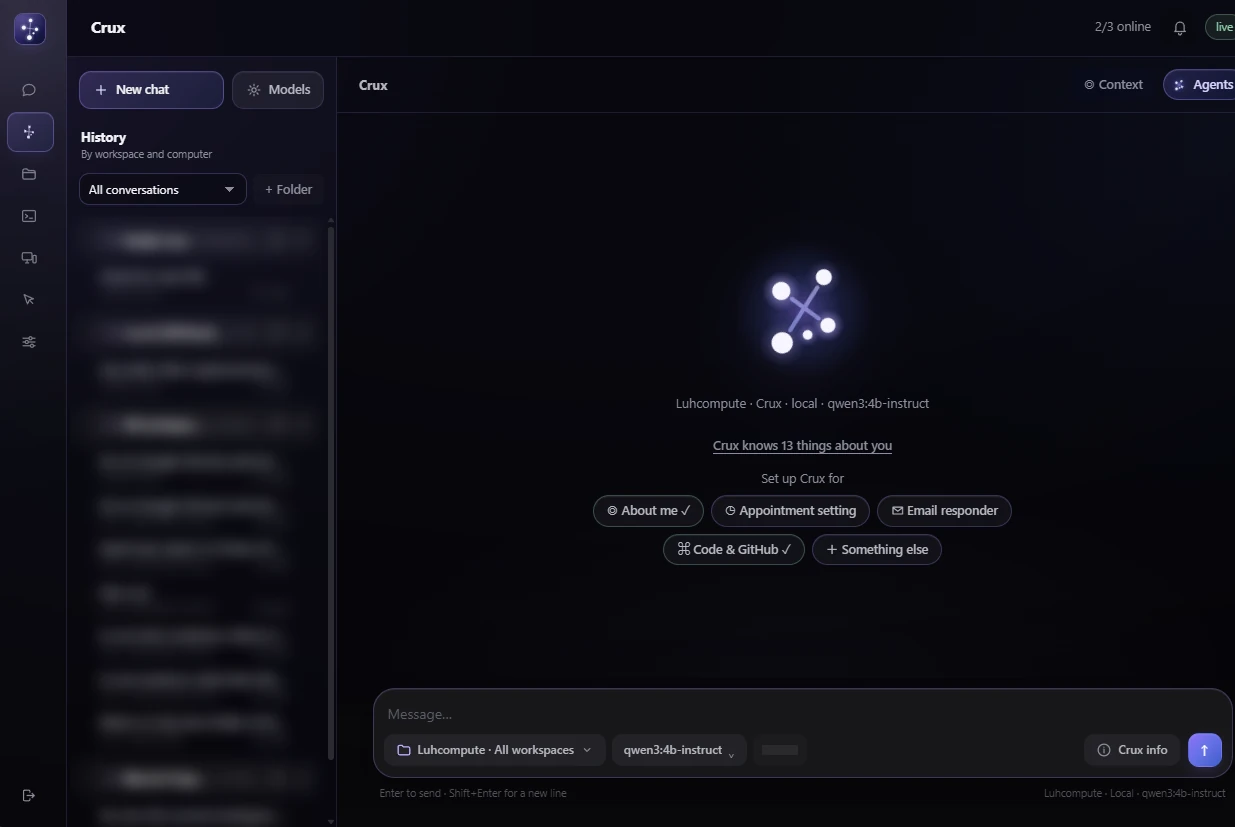
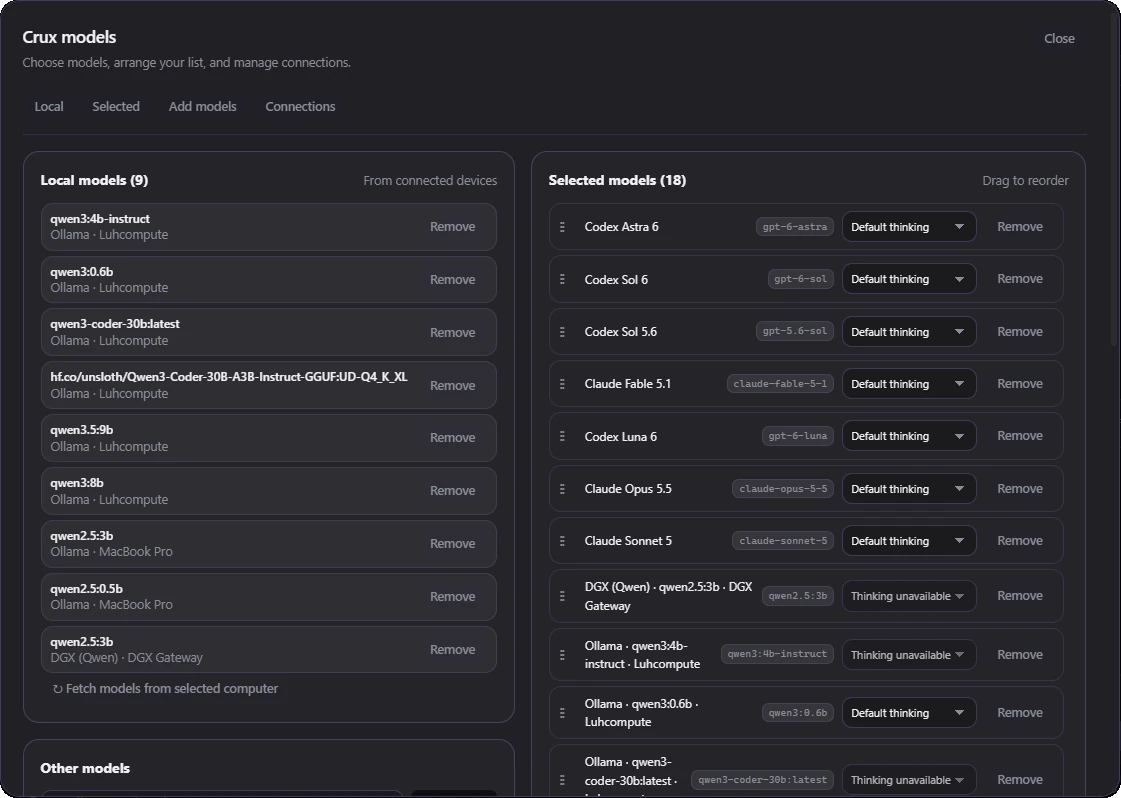
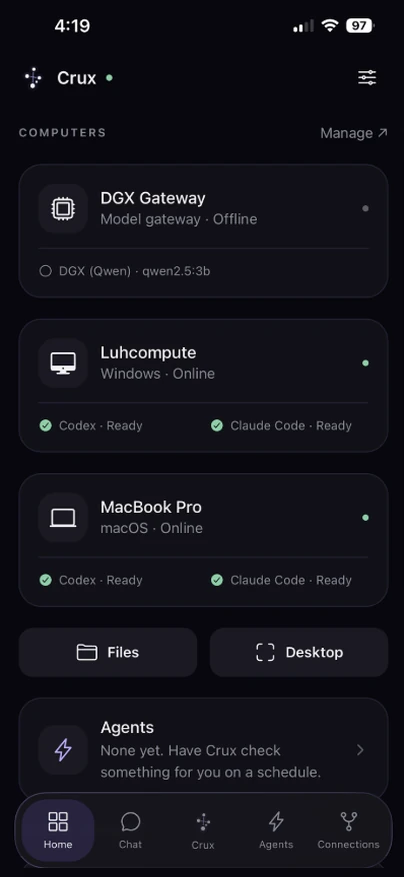
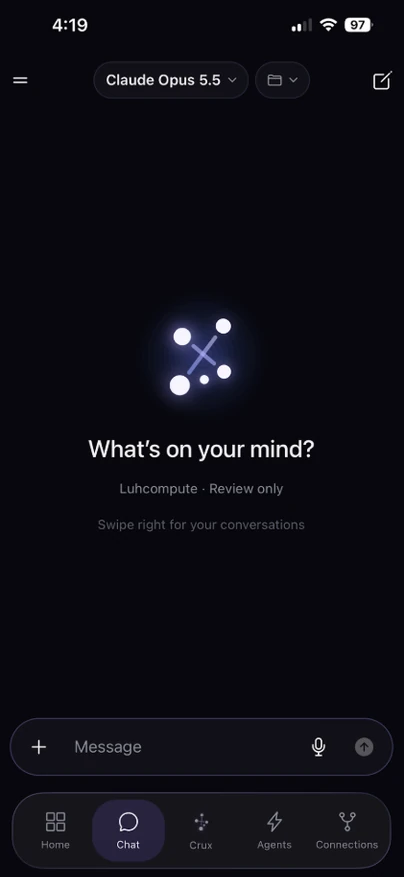
Crux is a live VexWorks product. The screenshots show the desktop interface, local-model selection and iPhone workflows, with private conversation and workspace names blurred.
Open CruxProject notes updated .
One hub, every device
Crux running across a Windows PC, a MacBook and an iPhone. Conversation and workspace names are blurred.
Source: the existing Crux product screenshots. Private conversation and workspace names are blurred in the source captures.
Crux walkthrough steps
- 0–6 seconds: desktop chat and workspace history.
- 6–12 seconds: local-model selection across connected computers.
- 12–18 seconds: the iPhone device overview, showing computer status and available tools.
Bring us your version of the problem.
We can scope a project around your tools, data and the outcome you need.